Fink Data Transfer
Version 03/06/2026
This manual has been tested for fink-client version 12.0 and Fink/LSST Portal 1.2. In case of trouble, send us an email (contact@fink-broker.org) or open an issue . If you are coming from fink-client version 11, we recommend to authenticate again. See the fink-client documentation.
Purpose
The Data Transfer service allows users to explore and transfer historical data at scale: https://lsst.fink-portal.org/download . This service lets users to select any observing nights from LSST, define the content of the output, and stream data directly to anywhere!
In Fink you used so far two main services to interact with the alert data:
- Fink Livestream: based on Apache Kafka, to receive alerts in real-time based on user-defined filters.
- Fink Science Portal: web application (and REST API) to access and display all processed data.
The first service enables data transfer at scale, but you cannot request alerts from the past. The second service lets you query data from the beginning of the project, but the volume of data to transfer for each query is limited. Hence, we were missing a service that would enable massive data transfer for historical data.
This third service is mainly made for users who want to access a lot of alerts for:
- building data sets,
- training machine/deep learning models,
- performing massive or exotic analyses on processed alert data provided by Fink.
We decided to stream the output of each job. In practice, this means that the output alerts will be send to the Fink Apache Kafka cluster, and a stream containing the alerts will be produced. You will then act as a consumer of this stream, and you will be able to poll alerts knowing the topic name. This has many advantages compared to traditional techniques:
- Data is available as soon as there is one alert pushed in the topic.
- The user can start and stop polling whenever, resuming the poll later (alerts are in a queue).
- The user can poll the stream many times, hence easily saving data in multiple machines.
- The user can share the topic name with anyone, hence easily sharing data.
- The user can decide to not poll all alerts.
Installation of fink-client
To ease the consuming step, the users are recommended to use the fink-client . fink_client requires a version of Python 3.9+. Documentation to install the client can be found at services/fink_client. Note that you need to be registered in order to poll data.
Defining your query
To start the service, connect to https://lsst.fink-portal.org/download . The construction of the query is a guided process. First, if you have a configuration file, you can upload it. If you do not know what it is, no worry, we will see it later. Then jump on the next page to choose the dates for which you would like to get alert data using the calendar. You can choose multiple consecutive dates.
Reducing the number of alerts
After choosing the dates, go on the next page:
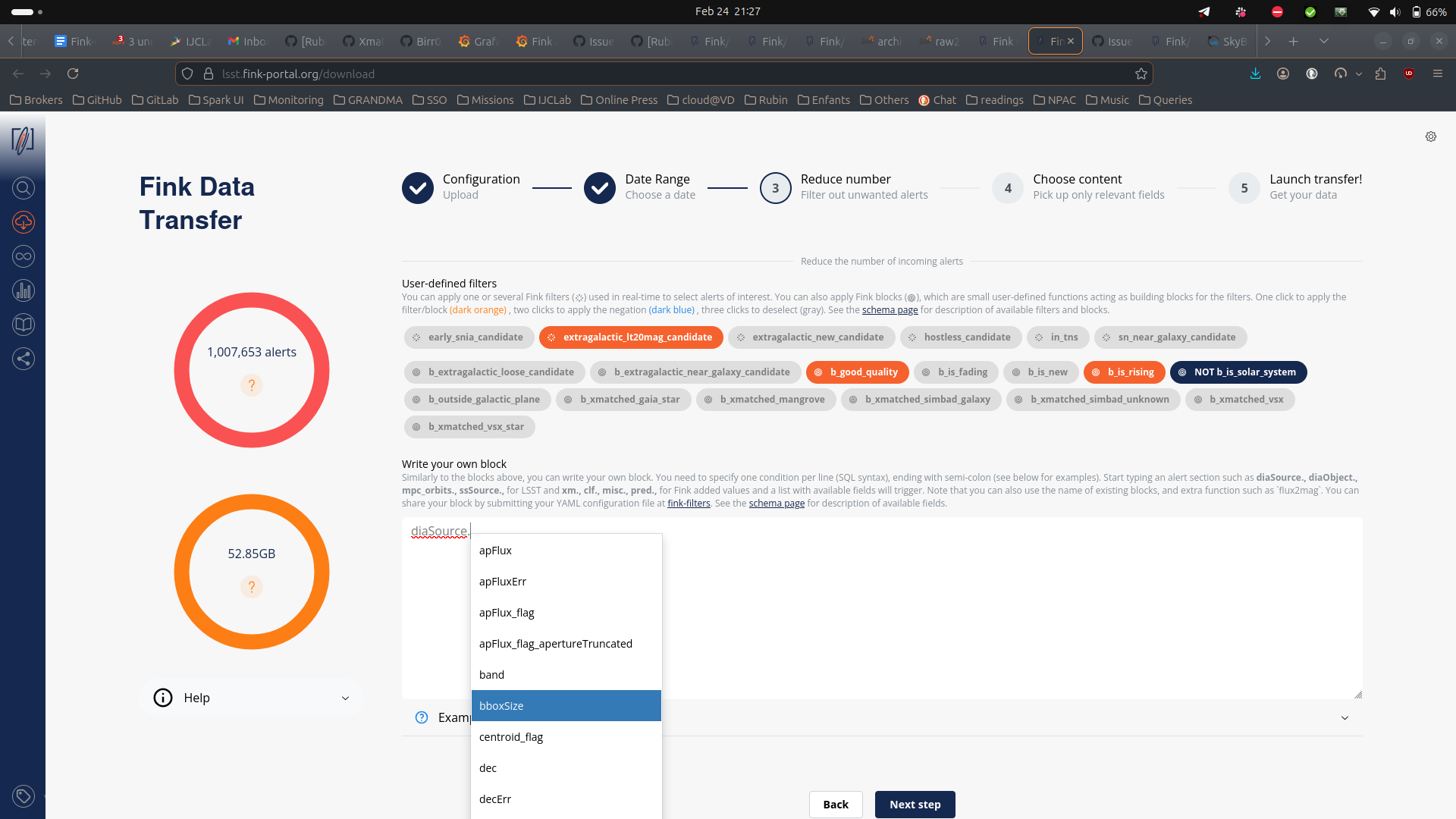
You can further filter the data in three ways:
- Select one or more user-defined tag(s) (the Fink Filters) or blocks. This is useful if you want to replay an analysis on a previous night.
- Upload a catalog of sources for crossmatch.
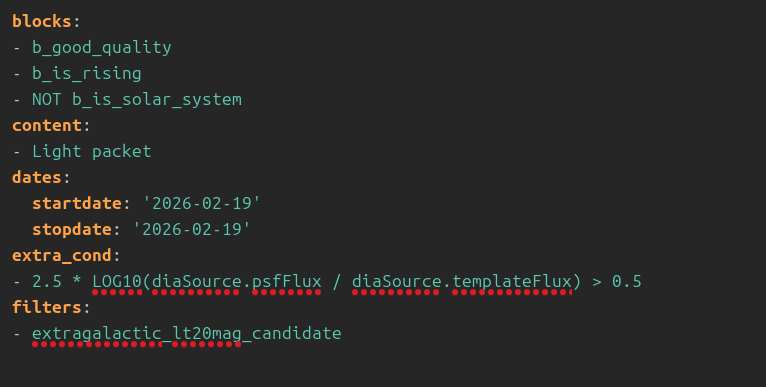
- Impose extra conditions on the alerts you want to retrieve based on their content. You will simply specify the name of the parameter with the condition (SQL syntax). If you have several conditions, put one condition per line, ending with semi-colon. Example of valid conditions are shown in the interface. Note that when you start typing a nested field in the schema, a dropdown menu will appear with available fields. See the schema page for more information about available tags, block, and fields.
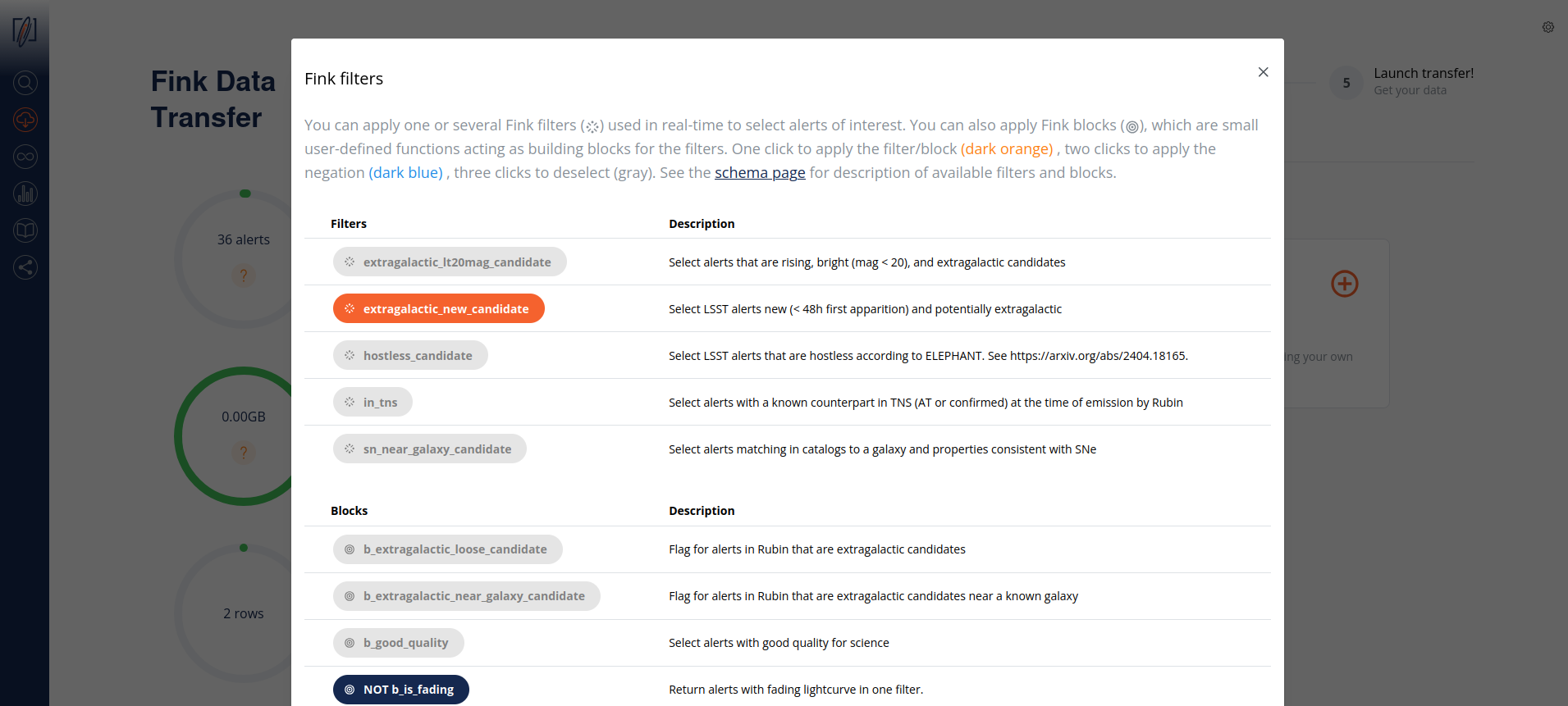
Note that if you double click on filters or blocks, you will apply its negation:
The number of alerts in the gauge will update as you select Fink Filters or blocks:
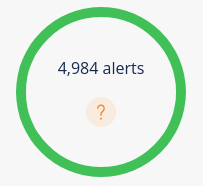
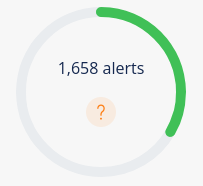
b_is_solar_system block.Estimating the filtered alert number
There are some caveats to know:
- filter and block yields are statistical, computed over a month of data. So the filtered numbers are only representative.
- The filter yields are applied serially, without taking into account possible overlaps.
- The custom filters (SQL) are not taken into account when estimating the number of alerts.
- If a catalog has been uploaded, the results of the crossmatch is not known in advance.
Note on catalog visibility
Uploaded catalogs remain secluded for all practical purpose and will not be exploited scientifically by anyone. They are stored on our system during the operation, and they are automatically deleted after 24h. During this time, only engineers have access to it exclusively for debugging purposes and to assist users if need be.
Selecting alert content
Finally you can choose the content of the alerts to be returned. You have several types of options:
- Predefined schemas: Full packet, Medium Packet, Light static packet and Light SSO packet.
- Root fields:
diaSource,prvDiaSources, etc. This will take all fields from a section. - Any field you want: instead of the pre-defined schemas from above, you can also choose to download only the fields of interest for you. Prefer this option if you know what you want (and this will reduce greatly the volume of data to transfer).
Alert schema can be again accessed directly from the schema page . Note that you can apply filters (e.g. tags, extra conditions, etc.) on any alert fields regardless of the final alert content as the filtering is done prior to the output schema.
As you select fields to be transfered, the gauge on the right will be updated with an estimation of the total to be transfered:
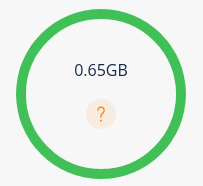
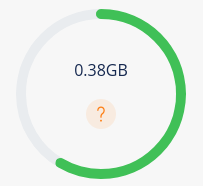
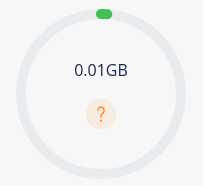
This is a statistical estimation based on data taken in April 2026. You will find an estimation of each (main) section in an alert packet in the following table:
| Content | median size | comments |
|---|---|---|
| Full packet (static) | 176KB | All Fink & LSST fields for static alerts |
| Full packet (SSO) | 60KB | All Fink & LSST fields for SSO alerts |
| Cutouts | 58KB | 3 cutouts. Size is minimum 30x30 pixels. |
prvDiaSources |
116KB | History size varies from 0 to 1000+ elements |
prvDiaForcedSources |
1KB | History size varies from 0 to 1000+ elements. Note that forced photometry started in February, and was reset in March by Rubin (hence smaller size than photometry history) |
diaSource |
0.5KB | Contains photometry, astrometry, timings, flags, etc. |
diaObject |
<0.5KB | Only available for static alerts |
mpc_orbits |
<0.5KB | Only available for solar system object alerts |
ssSource |
<0.5KB | Only available for solar system object alerts |
| Fink added values | 1KB | labels from crossmatch, machine learning and deep learning scores, flags, etc. |
Estimating the data size
These numbers depend on the alert history size and cutout size, and the gauge should be seen as a rough guide. See this issue for more detailed information.
Submitting the request
Once you have filled all parameters, go to the last iteration, and review all parameters before hitting the submission button:
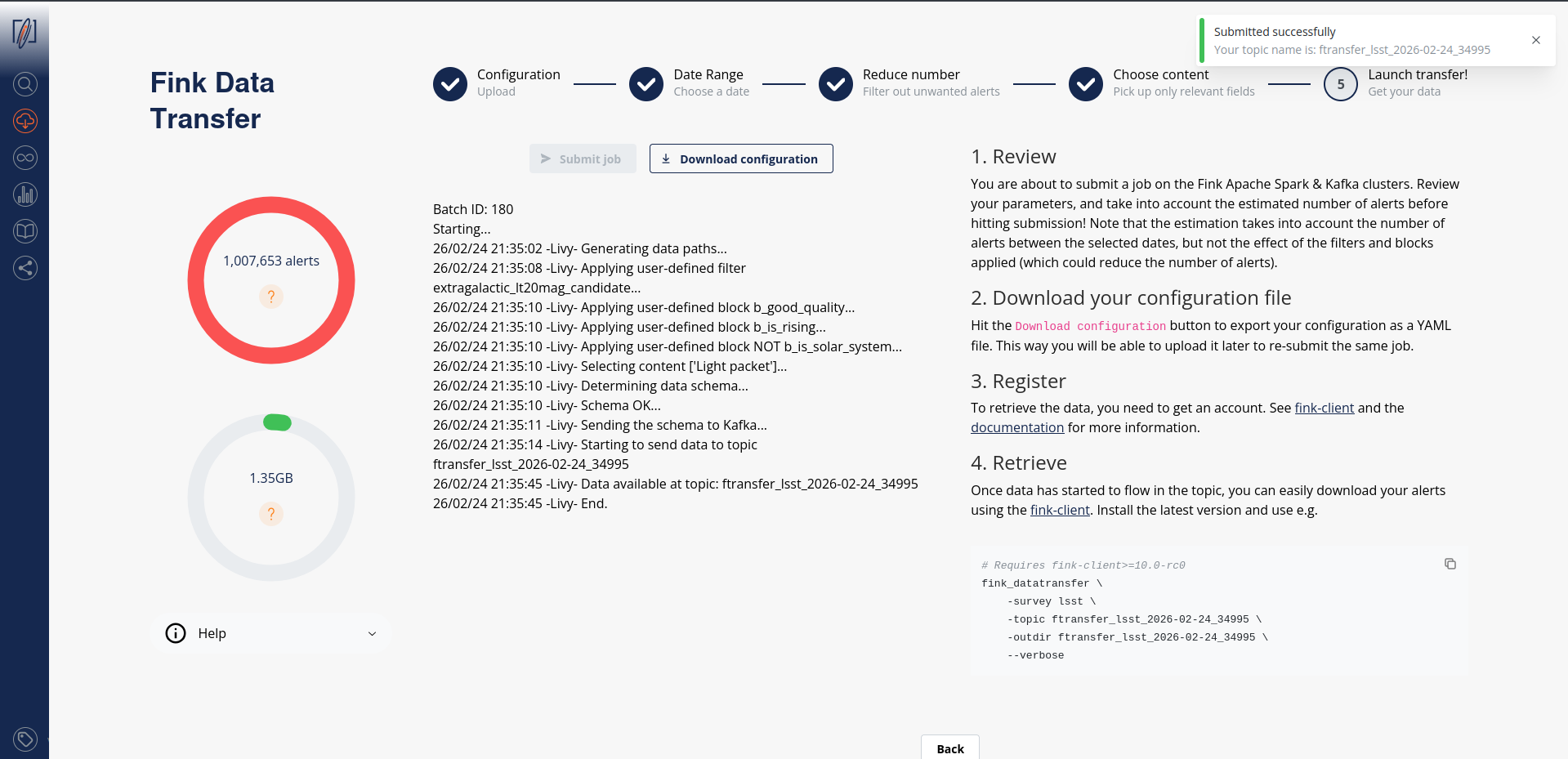
Before submission, download your configuration file. Next time you launch a job, you will be able to upload it to retrieve your parameters!
Catalog upload
Note that although we log the catalog filename, you will have to upload it again (we do not keep a copy of it).
After submission, your job will be triggered on the Fink Apache Spark cluster, and a topic name will be generated. Keep this topic name with you, you will need it to get the data. Details about the progress will be automatically displayed on the page.
Consuming the alert data
Standard
On the submission web page, when you read the message:
this means you can already start polling the data on your computer. You will then invoke for example (see the command on the right panel):
Alert data will be consumed and stored on disk as parquet files. You can easily read these alerts using PyArrow, or Pandas:
diaObjectId and type inference
If you are using Pandas to read alerts downloaded with fink-client version < 11, we highly recommend to read the Troubleshooting section of this manual, as the values for diaObjectId can be wrongly decoded due to bad type inference.
import nested_pandas as npd

# Pandas-compatible data frame
df = npd.read_parquet("ftransfer_lsst_2026-03-27_300346/")
Nested-Pandas extends Pandas to provide better tooling for working with nested data frames, such as "prvDiaSource" and "prvDiaForcedSources" columns.
Polars is an efficient replacement for Pandas, both in term of speed and data type management.
Beware, if you want to transform this table into a Pandas DataFrame, you will likely have type issues with the column diaObjectId. See the Troubleshooting section of this manual.
import pyarrow.parquet as pq

arrow_schema = pq.read_schema("arrow_schema_ftransfer_lsst_2026-03-27_300346.metadata")
table = pq.read_table("ftransfer_lsst_2026-03-27_300346/", schema=arrow_schema)
Beware, if you want to transform this table into a Pandas DataFrame with to_pandas, you will likely have type issues with the column diaObjectId. See the Troubleshooting section of this manual.
You can stop the poll by hitting CTRL+C on your keyboard, and resume later. The poll will restart from the last offset, namely you will not have duplicate. In case you want to start polling data from the beginning of the stream, you can use the --restart_from_beginning option:
Finally you can inspect the schemas of the alerts using the option --dump_schemas. This option will produce two files on disk: one json file for the Avro schema (avro_schema_*.json), and one metadata file for the Arrow schema (arrow_schema_*.metadata)
Avro schema can be inspected using e.g.:
and Arrow schema using PyArrow:
import pyarrow.parquet as pq

arrow_schema = pq.read_schema("arrow_schema_ftransfer_lsst_2026-03-27_300346.metadata")
Argument name change
in version 11, the argument previously called --dump_schema has been replaced by --dump_schemas to reflect the fact that we store both Arrow and Avro schemas.
Avro files
Storing data as Avro
From version 11, data can be stored either as Parquet or Avro files. Default is Parquet.
By default, the client will produce Parquet files. For version < 11, those files had issues with data type. While this has been corrected in version 11, we now also give the possibility to directly write data in Avro, that is without performing any conversion under the hood (Fink manipulates Avro). Simply specify the argument --outformat avro:
You can easily read data using Polars, or alternatively the client provides simple tools to read Avro file if you do not have a reader available:
Notes on working with nested structures
Alert data contains nested structures, such as prvDiaSources and prvDiaForcedSources. You can use Nested-Pandas to easily manipulate these nested structures.
For example, you can loop over alerts, and for each alert previous DIA-sources are simply represented as a DataFrame:
import nested_pandas as npd
import numpy as np
import pandas as pd

# Similar to Pandas, but always uses PyArrow types, so no data casting is happening
df = npd.read_parquet("ftransfer_lsst_2026-04-10_814386")
# Loop over previous DIA-source light curves and append current source:
for _idx, row in df.head(5).iterrows():
    # Python dict
    source = row["diaSource"]
    # Nested-Pandas automatically represents nested structure as a DataFrame
    prv_sources = row["prvDiaSources"]
    all_sources = pd.concat([prv_sources, pd.DataFrame([source])], ignore_index=True)
    # Get peak flux per band using Pandas' groupy
    max_flux_per_band = all_sources[["band", "psfFlux"]].groupby("band").max()
    # Round values and convert to a Python dict
    max_flux_dict = max_flux_per_band.round(2).to_dict()["psfFlux"]
    print(
        f"diaSourceId {row['diaSource']['diaSourceId']}"
        f" --- Peak PSF Flux {max_flux_dict}"
    )
diaSourceId 170028494251622421 --- Peak PSF Flux {'g': 80981.53, 'i': 112783.38, 'r': 111642.24, 'z': 132426.2}
diaSourceId 170028491821023256 --- Peak PSF Flux {'g': 80981.53, 'i': 112783.38, 'r': 111642.24, 'z': 106307.88}
diaSourceId 170028495499427903 --- Peak PSF Flux {'g': 68751.32, 'i': 62620.46, 'r': 58776.86, 'z': 52867.45}
diaSourceId 170028500167688200 --- Peak PSF Flux {'g': 80981.53, 'i': 112783.38, 'r': 113387.5, 'z': 133318.11}
diaSourceId 170028497082777638 --- Peak PSF Flux {'g': 80981.53, 'i': 112783.38, 'r': 112159.72, 'z': 133318.11}
We can also combine alerts corresponding to the same diaObjectId to get a new nested column, which contains all sources for a given object:
import nested_pandas as npd

df = npd.read_parquet(
    "ftransfer_lsst_2026-04-10_814386",
    # Just load the source information to save time and memory
    columns=["diaSource"],
)
# Unnest the only diaSource column to get all its fields as top-level columns
# Uses standard Pandas `.struct` "accessor"
df = df["diaSource"].struct.explode()
# Collect all sources for a given diaObjectId into a new "nested" column "sources"
nf = npd.NestedFrame.from_flat(
    df,
    # New index column
    on="diaObjectId",
    # Columns to leave unnested, none in this case
    base_columns=[],
    name="sources",
)

# Keep sources with flux/error > 10
# "." is used as a separator between the nested column name and the sub-column (field)
nf = nf.query("sources.psfFlux / sources.psfFluxErr > 10")
# Convert fluxes to magnitudes
nf["sources.psfMag"] = 31.4 - 2.5 * np.log10(nf["sources.psfFlux"])
nf["sources.psfMagErr"] = (
    2.5 / np.log(10) * nf["sources.psfFluxErr"] / nf["sources.psfFlux"]
)

# Sort by date
nf = nf.sort_values("sources.midpointMjdTai")


# Get the largest magnitude slope between two consecutive sources
def max_mag_slope(row):
    # row is a Python dict, keys are sub-column names, values are numpy arrays
    diff_mag = np.diff(row["sources.psfMag"])
    diff_time = np.diff(row["sources.midpointMjdTai"])
    pairwise_magerr_sums = np.hypot(
        row["sources.psfMagErr"][:-1], row["sources.psfMagErr"][1:]
    )
    relaxed_diff_mag = diff_mag - pairwise_magerr_sums
    slopes = relaxed_diff_mag / diff_time
    return np.max(slopes)


# Run user function over rows, r-band only
nf = nf.query("sources.band == 'r'").map_rows(
    max_mag_slope,
    # Column name for the output
    output_names="max_mag_slope_r",
    # Keep existing columns
    append_columns=True,
)
nf
                                                              sources  max_mag_slope_r
diaObjectId
313761043604045880  [{diaSourceId: 170028496792846394, visit: 2026...        17.797074
314051320305156133  [{diaSourceId: 170028497625940038, visit: 2026...         1.632043
Note on multiprocessing
From fink-client version 7.0, we have introduced the functionality of simultaneous downloading from multiple partitions through the implementation of multi-processing technology, which is an approach that takes advantage of modern hardware resources to run multiple tasks in parallel.
By using this strategy, the service is able to simultaneously access different partitions of the data stored in the Kafka server, enabling faster and more efficient transfer. The benefits of this approach are numerous, ranging from optimizing transfer times to making more efficient use of available hardware resources.
By default, the client will use all available logical CPUs. You can also specify the number of CPUs to use, as well as the batch size from the command line:
More details on the expected performances are given in this post .
Tutorials
You will find tutorials for manipulating data transfer output on GitHub:
How is this done in practice?
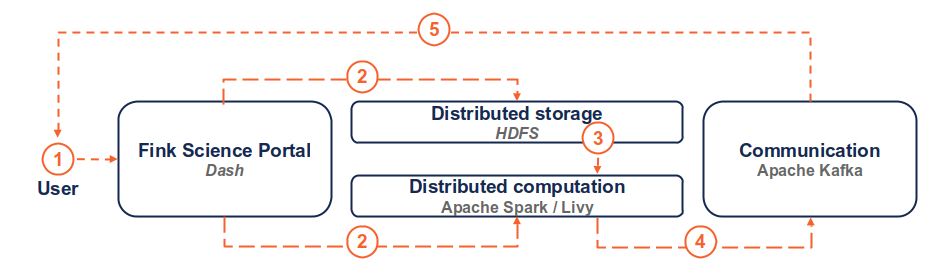
(1) the user connects to the service and request a transfer by filling fields and hitting the submit button. (2) Dash callbacks build and upload the execution script to HDFS, and submit a job in the Fink Apache Spark cluster using the Livy service. (3) Necessary data is loaded from the distributed storage system containing Fink data and processed by the Spark cluster. (4) The resulting alerts are published to the Fink Apache Kafka cluster, and they are available up to 7 days by the user. (5) The user can retrieve the data using e.g. the Fink client, or any Kafka-based tool.
Troubleshooting
In case of trouble, send us an email (contact@fink-broker.org) or open an issue .
Timeout error
If you get frequent timeouts while you know there are alerts to poll (especially if you are polling from outside of Europe where the servers are), try to increase the timeout (in seconds) in your configuration file:
UNKNOWN_TOPIC_OR_PART
If you launch the download too early, the queue is not yet filled and you will likely get this error:
cimpl.KafkaException: KafkaError{code=UNKNOWN_TOPIC_OR_PART,val=3,str="Broker: Unknown topic or partition"}
Wait a minute, and retry. If the error persists, contact Julien.
diaObjectId casting errors
Because LSST is not filling all fields, if you try to read using Pandas directly for client version < 11, you will likely have a casting, typing, or Arror error such as:
This has been fixed in v11, although the column diaObjectId is still subject to wrong cast if using Pandas-native data types. The reason is that this field can be a long integer, or integer, or null... Please use PyArrow data types when reading parquet files, so no harmful data casting is happening.
import pandas as pd

pdf = pd.read_parquet("ftransfer_lsst_2026-03-26_577207/")

pdf["diaObject"].apply(pd.Series)["diaObjectId"]
0      3.138535e+17
1               NaN
2               NaN
3      1.701121e+17
4      1.701121e+17
           ...
566    1.701121e+17
567    1.700285e+17
568             NaN
569             NaN
570    3.138535e+17
Name: diaObjectId, Length: 571, dtype: float64

pdf["diaObject"].apply(pd.Series)["diaObjectId"].astype("Int64").to_list()[0]
313853533295214656
and if you try to open this object ID, it does not exist:
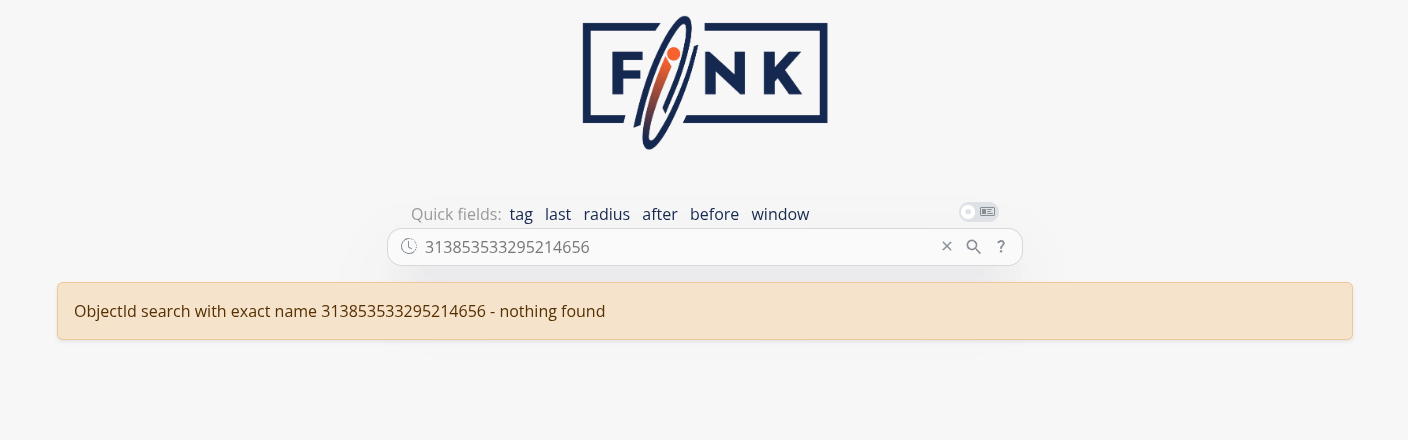
We highly recommend updating fink-client to version 11 or later, and either use Pandas with PyArrow types or other library, such as Polars, PyArrow or Nested-Pandas:
dtype_backend="pyarrow" should be used so no data casting is happening:
import pandas as pd

df = pd.read_parquet("ftransfer_lsst_2026-04-10_814386", dtype_backend="pyarrow")
# Use .struct "accessor" to work with nested structures
df["diaSource"].struct.field("diaObjectId")

0     313761043604045880
1     313761043604045880
             ...
94    314051320305156133
95    313761043604045880
Name: diaObjectId, Length: 96, dtype: int64[pyarrow]
Nested-Pandas provides a parquet reader function, which always produces a Pandas DataFrame with PyArrow types, so no data casting is happening:
import nested_pandas as npd

# Same code as for Pandas, but no need in `dtype_backend` argument
df = npd.read_parquet("ftransfer_lsst_2026-04-10_814386")
df["diaSource"].struct.field("diaObjectId")

0     313761043604045880
1     313761043604045880
             ...
94    314051320305156133
95    313761043604045880
Name: diaObjectId, Length: 96, dtype: int64[pyarrow]
No type issue at all, diaObjectId correctly decoded:
import polars as pl

# Read as DataFrame
pdf = pl.read_parquet("ftransfer_lsst_2026-03-26_577207")
shape: (1_997, 29)
┌────────────────────┬──────────────────────┬─────────────────────┬─────────────────────────────────┬───┬──────┬───────┬─────┬─────────────────────┐
│ diaSourceId        ┆ observation_reason   ┆ target_name         ┆ diaSource                       ┆ … ┆ year ┆ month ┆ day ┆ tns_type_recomputed │
│ ---                ┆ ---                  ┆ ---                 ┆ ---                             ┆   ┆ ---  ┆ ---   ┆ --- ┆ ---                 │
│ i64                ┆ str                  ┆ str                 ┆ struct[98]                      ┆   ┆ i32  ┆ i32   ┆ i32 ┆ str                 │
╞════════════════════╪══════════════════════╪═════════════════════╪═════════════════════════════════╪═══╪══════╪═══════╪═════╪═════════════════════╡
│ 170112044651511875 ┆ ddf_cosmos           ┆ ddf_cosmos, lowdust ┆ {170112044651511875,2026030900… ┆ … ┆ 2026 ┆ 3     ┆ 10  ┆ Unknown             │
│ 170112044504187091 ┆ ddf_cosmos           ┆ ddf_cosmos, lowdust ┆ {170112044504187091,2026030900… ┆ … ┆ 2026 ┆ 3     ┆ 10  ┆ Unknown             │
│ 170112044549275716 ┆ ddf_cosmos           ┆ ddf_cosmos, lowdust ┆ {170112044549275716,2026030900… ┆ … ┆ 2026 ┆ 3     ┆ 10  ┆ Unknown             │
│ 170112073842295613 ┆ template_blob_i_33.0 ┆ lowdust             ┆ {170112073842295613,2026030900… ┆ … ┆ 2026 ┆ 3     ┆ 10  ┆ Unknown             │
│ 170112073817128991 ┆ template_blob_i_33.0 ┆ lowdust             ┆ {170112073817128991,2026030900… ┆ … ┆ 2026 ┆ 3     ┆ 10  ┆ Unknown             │
│ …                  ┆ …                    ┆ …                   ┆ …                               ┆ … ┆ …    ┆ …     ┆ …   ┆ …                   │
│ 170112044547178517 ┆ ddf_cosmos           ┆ ddf_cosmos, lowdust ┆ {170112044547178517,2026030900… ┆ … ┆ 2026 ┆ 3     ┆ 10  ┆ Unknown             │
│ 170112044701319264 ┆ ddf_cosmos           ┆ ddf_cosmos, lowdust ┆ {170112044701319264,2026030900… ┆ … ┆ 2026 ┆ 3     ┆ 10  ┆ Unknown             │
│ 170112044555042880 ┆ ddf_cosmos           ┆ ddf_cosmos, lowdust ┆ {170112044555042880,2026030900… ┆ … ┆ 2026 ┆ 3     ┆ 10  ┆ Unknown             │
│ 170112044700794961 ┆ ddf_cosmos           ┆ ddf_cosmos, lowdust ┆ {170112044700794961,2026030900… ┆ … ┆ 2026 ┆ 3     ┆ 10  ┆ Unknown             │
│ 170112044511002632 ┆ ddf_cosmos           ┆ ddf_cosmos, lowdust ┆ {170112044511002632,2026030900… ┆ … ┆ 2026 ┆ 3     ┆ 10  ┆ Unknown             │
└────────────────────┴──────────────────────┴─────────────────────┴─────────────────────────────────┴───┴──────┴───────┴─────┴─────────────────────┘

# Extract the `diaObjectId` series
pdf.unnest("diaSource", separator="::")["diaSource::diaObjectId"]
shape: (1_997,)
Series: 'diaSource::diaObjectId' [i64]
[
    313853532989554799
    170028510483579739
    0
    170050533224612532
    170112073817128991
    …
    170112044547178517
    170028510630903956
    0
    170028500610187383
    0
]
Decode diaObjectId separately:
import pyarrow.parquet as pq

# Read as a table
table = pq.read_table("ftransfer_lsst_2026-03-26_577207")

# Make a list of diaObjectId
diaobjectids = [record["diaObjectId"] for record in table["diaObject"].to_pylist()]

# Tranform to Pandas keeping PyArrow types to prevent data corruption
import pandas as pd

df = table.to_pandas(types_mapper=pd.ArrowDtype)
Known fink-client bugs
- With version 4.0, you wouldn't have the partitioning column when reading in a dataframe. This has been corrected in 4.1.
- With version 7.0, files were overwritten because they were sharing the same names, hence leading to fewer alerts than expected. This has been corrected in 7.1.
- With version prior to 9, you could not partition by time.
- With version < 11, the parquet files were not following strict alert schema, leading to casting errors.
Final note
You might experience some service interruptions, or inefficiencies. This service is highly demanding in resources for large jobs (there is TBs of data behind the scene!), so we keep monitoring the load of the clusters and optimizing the current design.